Start with your motorhome, then choose the destination
Choosing motorhome sat nav means looking beyond the quickest arrival time. The height of fitted roof equipment, the length of a rear rack and your vehicle’s weight all matter when reviewing a journey. A familiar road in a car can feel very different in a touring vehicle.
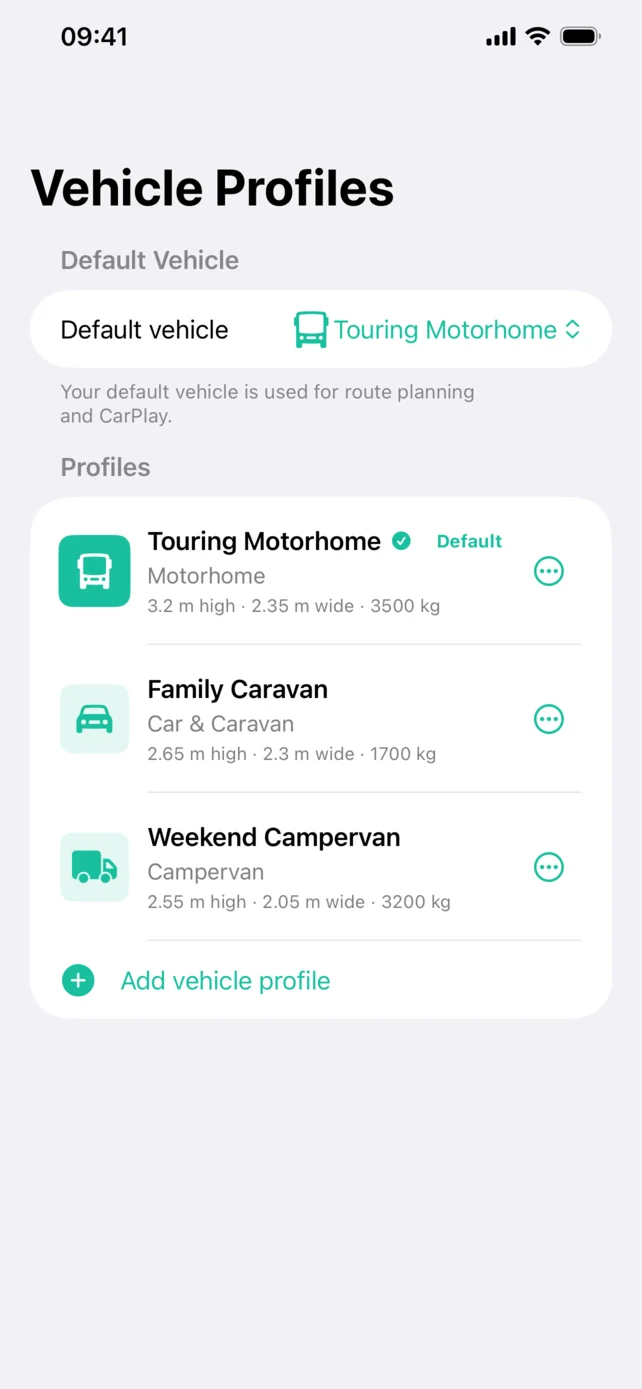
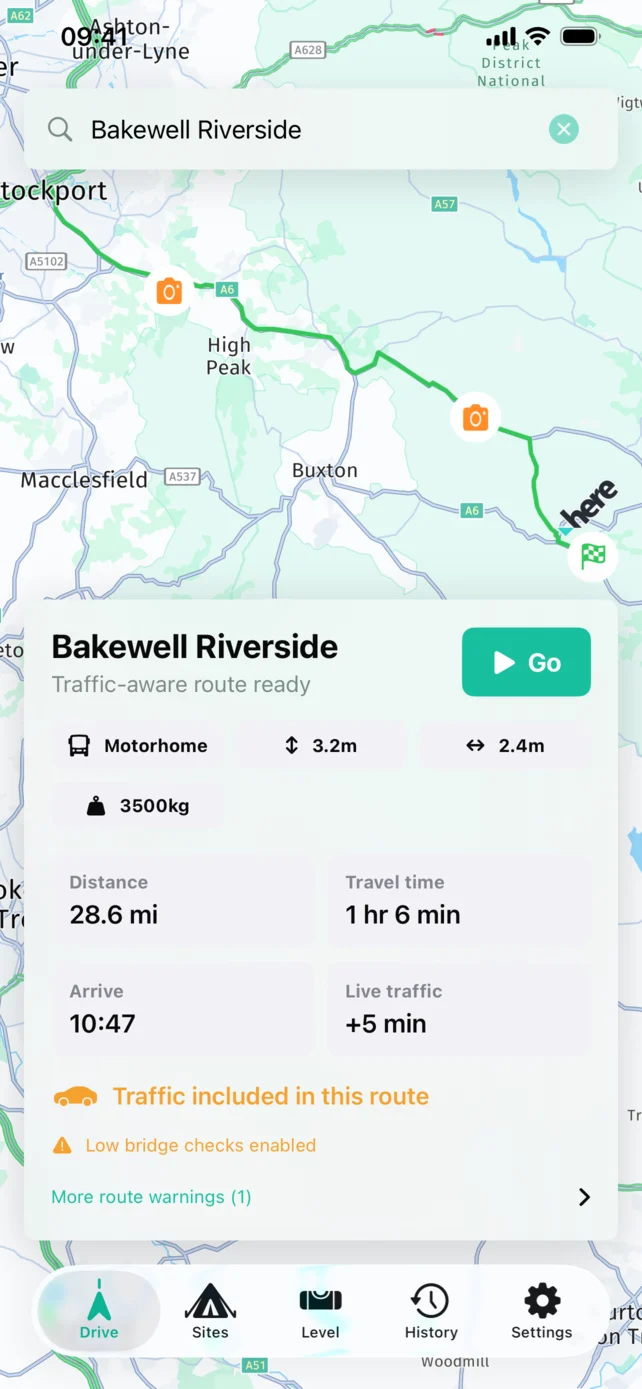
Motorhome & Caravan Sat Nav uses a saved vehicle profile when planning routes. Enter the verified height, width, length, gross weight and axle information requested by the app. You can then preview your journey with live traffic and use Apple CarPlay on a compatible display.
Check the details that change after purchase
A brochure is a useful starting point, but it may not describe your motorhome after accessories have been fitted. Before setting up a profile, compare the specification with the vehicle in its travelling configuration.
- Roof equipment: check whether an air-conditioning unit, aerial or roof rack changes the maximum height.
- Rear equipment: account for a bike carrier or storage box that extends the travelling length.
- Different layouts: confirm the exact model and variant rather than borrowing figures from a similar motorhome.
Follow our guide to setting up motorhome dimensions for a fuller measurement checklist.
Example: your first trip with a rear bike rack
Before planning the journey, check the motorhome’s travelling length with the rack and bikes in place. Update the profile if needed, select your destination and review the final approach. Compare it with the campsite’s directions, especially where the entrance is reached by a minor road. This is an illustrative planning example, not a tested route.
From campsite search to dashboard guidance
Use the app’s UK campsite directory to find a stop, then check the site’s current booking and arrival information. Our dog-friendly campsite guide explains what to confirm before booking. For dashboard navigation, see motorhome sat nav on Apple CarPlay.
Will it avoid every unsuitable road?
No navigation app can guarantee that. Route information can be incomplete, and temporary restrictions or an awkward entrance may not be reflected in the map. Keep checking road signs and the conditions ahead. An internet connection is required for routing, live traffic and rerouting.
Is an app the right choice?
If you want navigation on your existing iPhone, start by checking compatibility and trying the app before your next long trip. If offline operation or a separate screen is essential, compare those requirements carefully. Read our app and dedicated sat nav buying checklist. Towing instead? See our caravan sat nav page.
Compatibility, price and support
Requires iOS 16.0 or later on iPhone, or iPadOS 16.0 or later on iPad. Try it free for 7 days, then £3.99/month. Check the purchase screen for the terms offered to your account.
Developed by ClientMaster Ltd. Check the official App Store listing for release details and customer ratings, or contact our team with a product question.